
Lately, however, Pinterest has become a lot less fun due to the deluge of "Promoted" pins and "Picked for You" pins. They were cluttering up my feed until I couldn't find the real pins from people I follow.
For several months, I have used a Firefox extension and it worked beautifully. Sadly, it's failed me over the last few days despite everything I try.
A little research led me to a new solution. Go visit The Beth Project. She gives simple instructions to install a greasemonkey script and BOOM! Unwanted pins are gone.
My new Pinterest feed looks like swiss cheese - there were a LOT of unwanted pins there! The feed has blank spots where pins were removed.
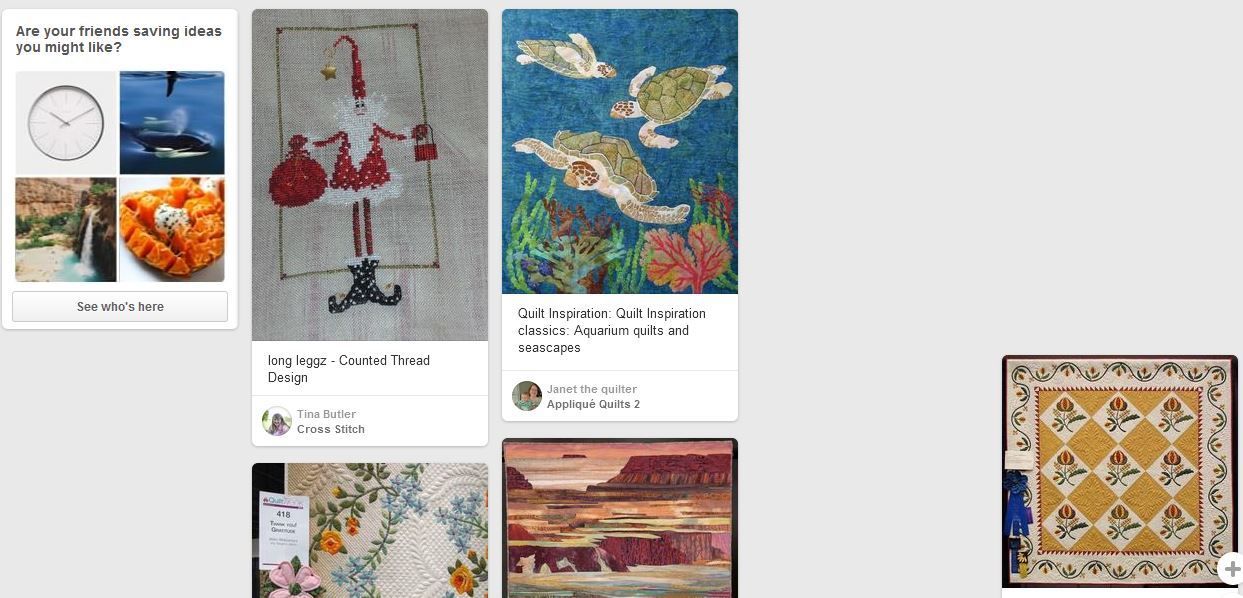
I would rather have the blank spaces to sail past than have a lot of pins I don't want.
I hope this solution helps you. We Pinterest addicts have to stick together!
Are you following me on Pinterest? Just search for "Threeundertwo."
What a great idea! I'd never even thought about trying to get rid of the pins that no longer fit my needs!!a
ReplyDelete